Redis-compatible in-memory database
Klyro
Developer-first in-memory database written in Rust. Klyro speaks Redis's RESP protocol and supports familiar data structures, transactions, pub/sub, persistence, eviction policies, and keyword, vector, and hybrid retrieval in the same keyspace.
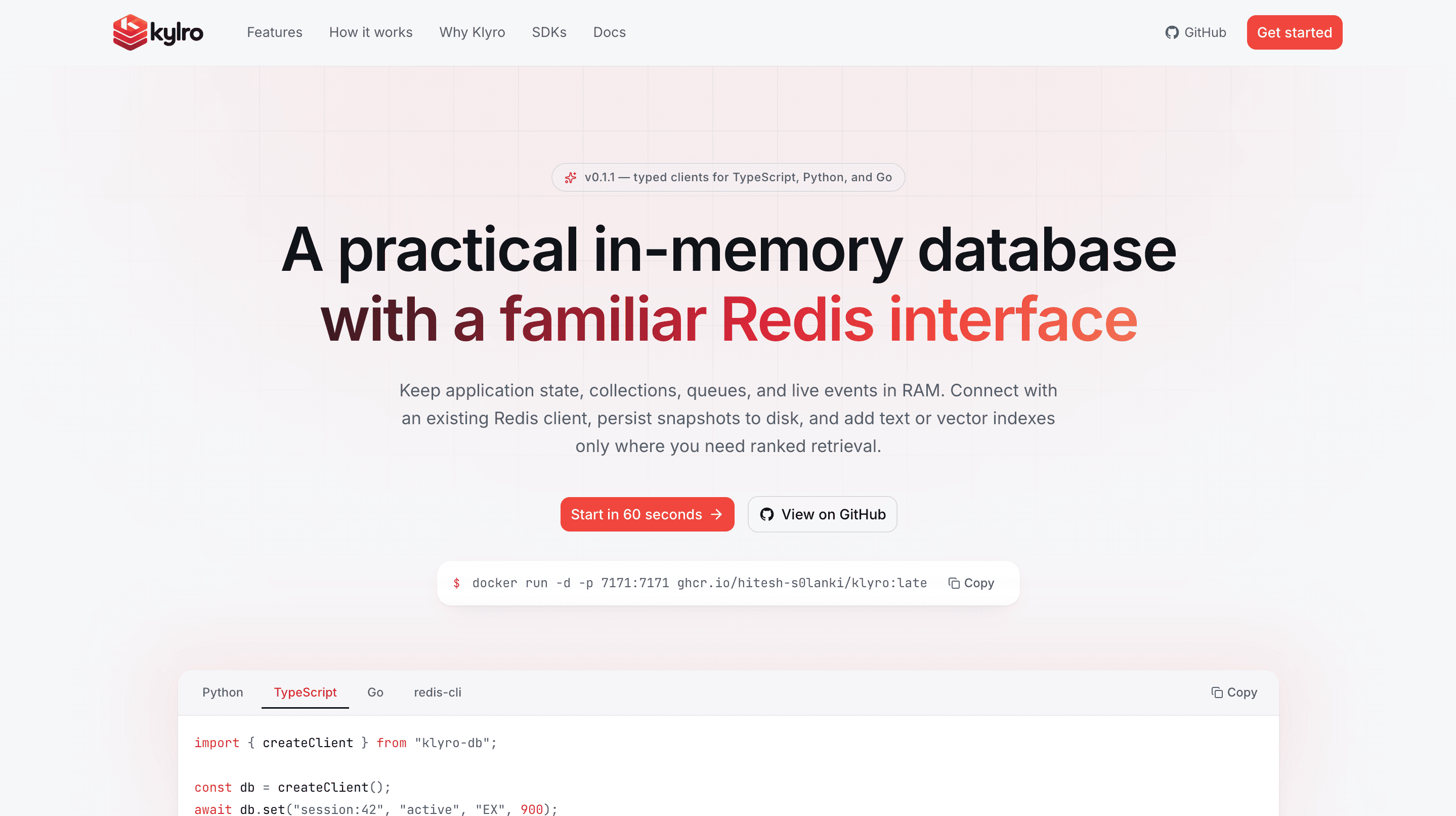
Documentation
Klyro
A practical in-memory database with a familiar Redis interface.


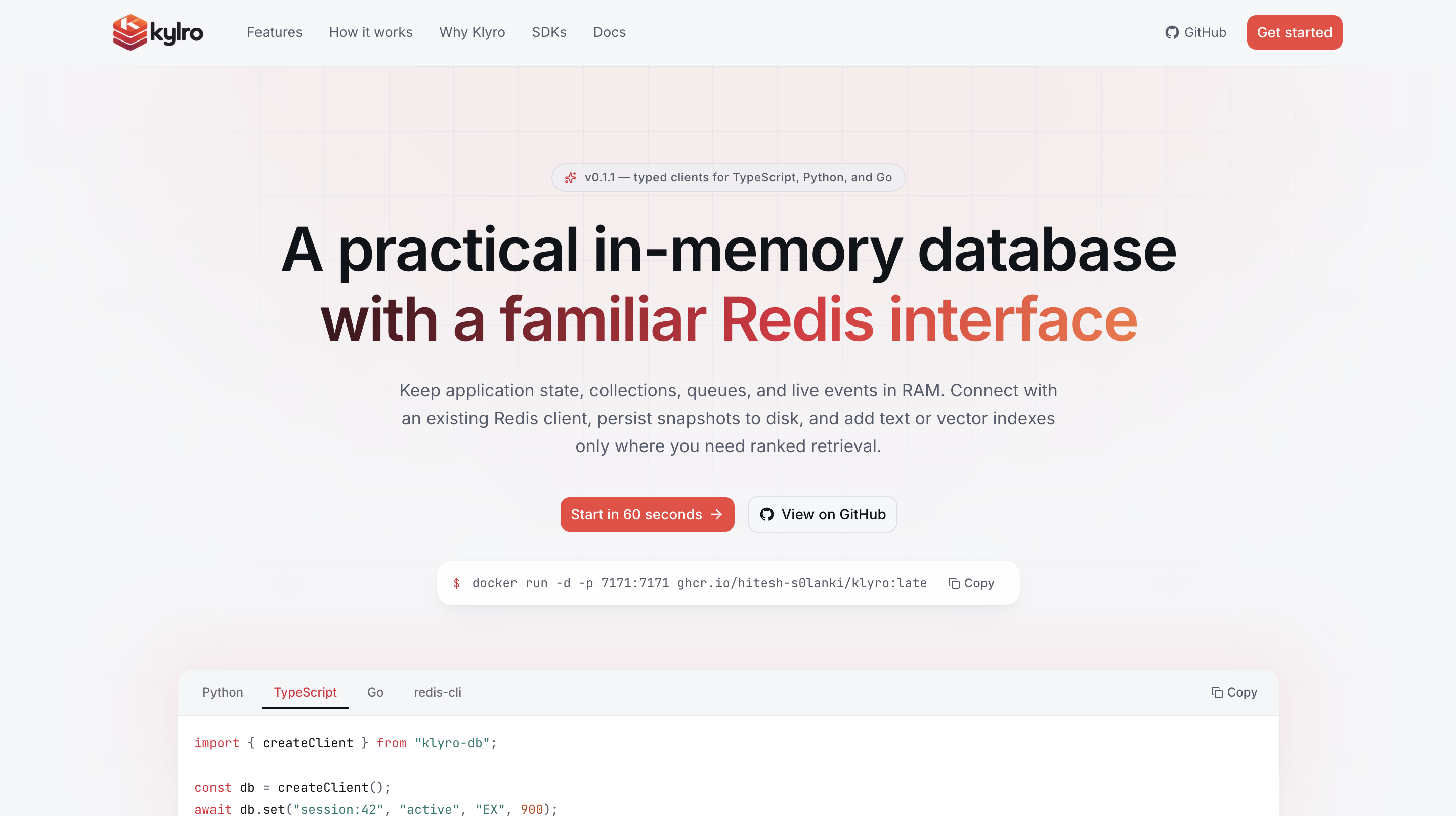
Klyro is an in-memory database written in Rust. It provides strings, lists, hashes, sets, and sorted sets for application state, plus transactions, pub/sub, blocking queues, expiry, snapshots, memory limits, and eviction policies. Its optional Memory type adds keyword, vector, and hybrid retrieval in the same keyspace. See the memory commands and docs/memory-structures.md.
It speaks RESP, so any Redis client library works - redis-py,
go-redis, ioredis, and redis-cli all connect with no adapter. Values
are binary-safe. Transactions (MULTI/EXEC/WATCH), pub/sub, and
the blocking pops (BLPOP and family) all work, so work queues,
fan-out messaging, and optimistic locking do too.
Started from https://github.com/rairai77/cache22 (a bare C skeleton, following https://www.youtube.com/watch?v=FFxEoQyNQKM), grown into a full C implementation, then migrated to Rust module-by-module (see docs/rust-migration.md), then given the Redis wire protocol (see docs/resp-protocol.md) and the connection-level features that depend on it (see docs/connection-state.md).
Build
cargo build --release
Test
cargo test
Runs the unit tests embedded in src/ (RESP encoding and parsing, glob
matching, the store, persistence round-trips) plus the integration suite
under tests/: spawns real klyro server subprocesses, talks
RESP to them over a real socket, and checks every command's reply type,
WRONGTYPE errors, binary-safe values, pipelining, protocol errors,
KEYS/SCAN pattern matching, memory index retrieval and ranking, and
a full persistence round-trip (save, kill, reload). 492 tests in all.
cargo test builds first, so a plain
cargo test from a clean checkout is enough.
Compatibility with real client libraries is verified separately, by running command sweeps through redis-py, go-redis, and ioredis; see docs/client-libraries.md.
Run
cargo run --release -- [port] [dump-file]   # defaults: port 7171, dump-file klyro.dump
# or, after `cargo build --release`:
./target/release/klyro [port] [dump-file]
./target/release/klyro klyro.conf           # or a config file
./target/release/klyro --config klyro.conf 7200
Settings come from a config file, the command line, or both - command
line arguments are applied last, so they win. Copy
klyro.conf.sample to get started; it documents every
parameter at its default value. CONFIG GET/CONFIG SET read and change
the same settings on a running server, and INFO reports what the server
is doing. See docs/configuration.md.
On startup, Klyro loads dump-file if it exists. Data is saved back to
it on graceful shutdown (SHUTDOWN command, or SIGINT/SIGTERM), on
an explicit SAVE command, and automatically every 60s if anything
changed. Killing the process (SIGKILL, a crash, or power loss) loses
any changes since the last save.
Install from npm
No toolchain needed - npm downloads a prebuilt binary for your machine:
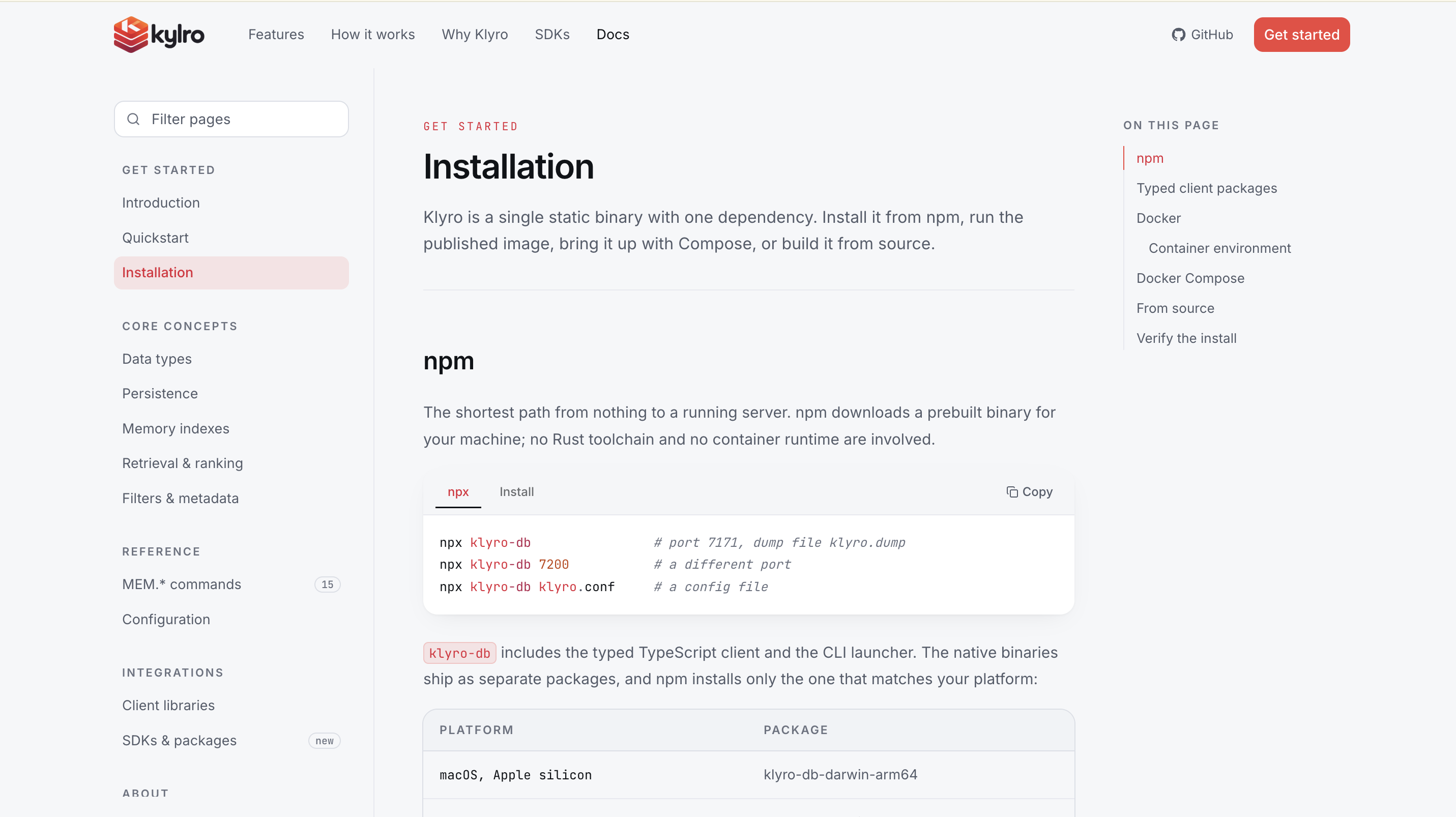
npx klyro-db                      # port 7171, dump file klyro.dump
npx klyro-db 7200                 # a different port
npx klyro-db klyro.conf           # a config file
npm install -g klyro-db leaves a klyro command on your PATH instead.
It takes the same arguments as the binary, because it is the binary -
the package is a launcher plus one platform's build, published from
npm/. Builds exist for macOS and Linux on x64 and arm64; the
event loop is poll(2), so there is no Windows build. See
docs/npm-package.md.
Run with Docker
Every merge to main publishes an image, so there is usually nothing to
build:
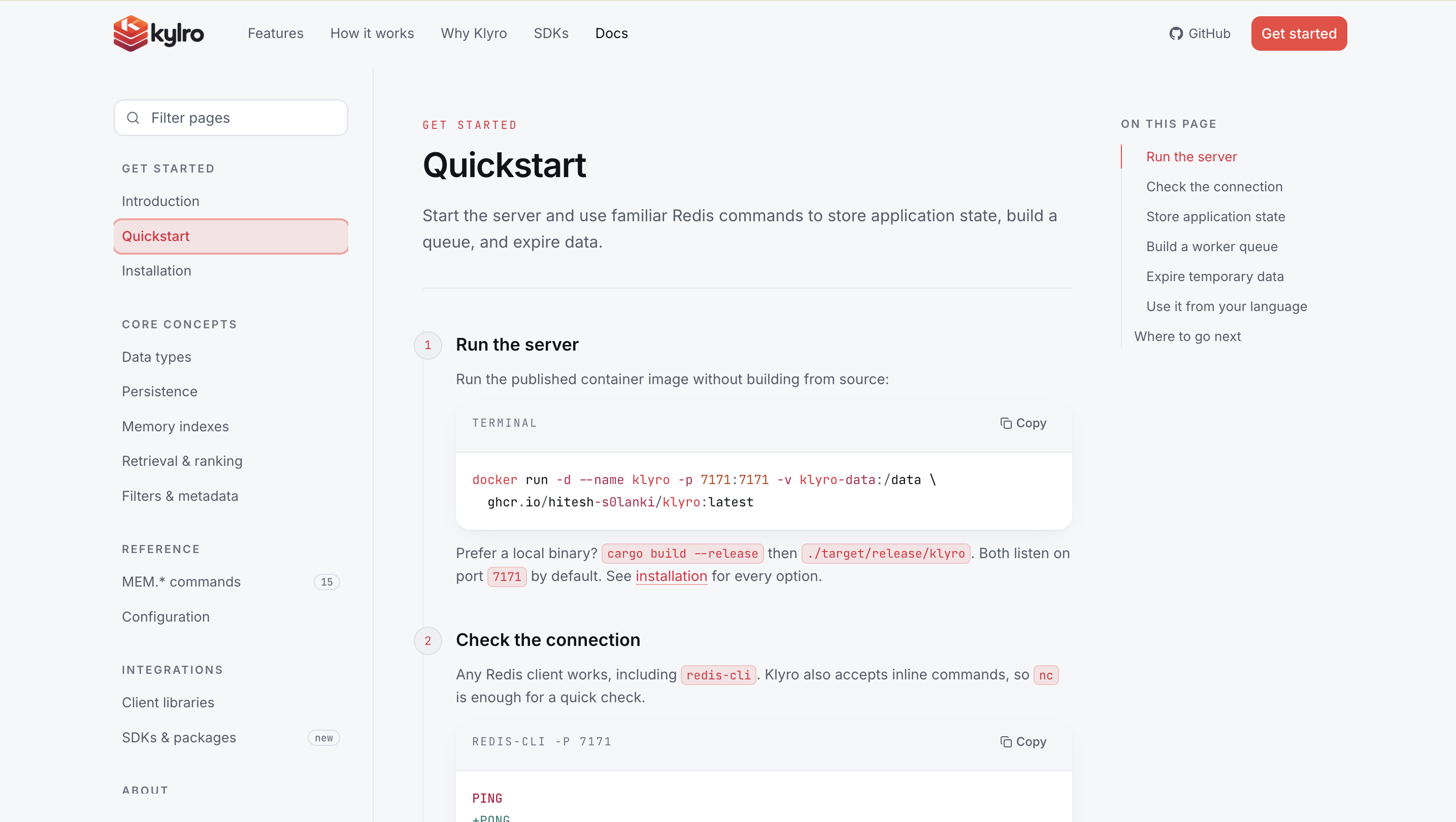
docker run -d --name klyro -p 7171:7171 -v klyro-data:/data \
    ghcr.io/hitesh-s0lanki/klyro:latest
Tags are latest, the version from Cargo.toml (0.1.1, and 0.1),
and sha-<commit> for a specific build. Pin the version tag for
anything you care about. To build it yourself instead:
docker build -t klyro .
docker run -d --name klyro -p 7171:7171 -v klyro-data:/data klyro
Or with Compose, which sets up the port and the volume for you:
docker compose up -d
The image is a two-stage build - a static musl binary from
rust:1-alpine, copied onto a bare Alpine runtime - so it comes out
around 15 MB. It runs as an unprivileged user (uid 10001), keeps the
dump file in the /data volume, and carries a healthcheck that
PINGs the server over the real protocol.
docker stop sends SIGTERM, which Klyro handles by saving the dump
before exiting, so data survives a restart. Compose allows 30s for
that; raise stop_grace_period if a large keyspace needs longer.
Three environment variables configure the container:
| Variable | Default | Meaning |
|---|---|---|
KLYRO_PORT | 7171 | Port to listen on, inside the container |
KLYRO_DUMP | /data/klyro.dump | Dump file path |
KLYRO_CONFIG | unset | Config file to load, e.g. a mounted copy of klyro.conf.sample |
# a config file from the host, on a different port
docker run -d -p 6380:6380 \
    -e KLYRO_PORT=6380 \
    -e KLYRO_CONFIG=/etc/klyro/klyro.conf \
    -v $PWD/klyro.conf:/etc/klyro/klyro.conf:ro \
    -v klyro-data:/data \
    klyro
KLYRO_PORT is passed on the command line, so it overrides a port
line in KLYRO_CONFIG. Arguments given to docker run after the image
name bypass all three and go straight to the binary. See
docs/docker.md for the decisions behind the image.
Website and docs
The marketing site and the documentation live in frontend/, a Next.js app using Tailwind CSS and shadcn/ui:
cd frontend
npm install
npm run dev        # http://localhost:3000
The home page explains what Klyro is and who it is for; /docs carries the
quickstart, the memory concepts, the full command reference, the
configuration surface, and the client integration notes. See
frontend/README.md for the folder structure and editing
notes.
Talk to it
Any Redis client library works. Typed Klyro clients are also available for TypeScript/JavaScript, Python, and Go:
import redis

r = redis.Redis(host="localhost", port=7171, decode_responses=True)
r.set("greeting", "hello")
r.get("greeting")

# The distributed-lock primitive
r.set("lock:job", "token", nx=True, ex=30)
redis-cli -p 7171 works too. So does nc, because Klyro accepts
Redis's inline command form - replies come back in RESP, so they carry
type markers:
$ nc localhost 7171
PING
+PONG
SET greeting "hello there"
+OK
GET greeting
$11
hello there
LPUSH mylist a
:1
See docs/client-libraries.md for Go and Node.js examples and the list of clients verified against Klyro.
Commands
145 commands: the 130 Redis-shaped ones, plus the 15 MEM.* commands
that have no Redis equivalent. Reply types match Redis's, which is what
lets stock client libraries decode them; the tables below name the type
rather than the literal bytes.
Generic (any type)
| Command | Reply |
|---|---|
PING [message] | PONG, or the message |
ECHO message | the message |
HELLO [protover] | server info; HELLO 3 switches to RESP3 |
DEL key [key ...] / UNLINK key [key ...] | number of keys removed |
EXISTS key [key ...] | how many exist (a repeated key counts each time) |
EXPIRE key seconds / PEXPIRE key ms | 1 if the TTL was set, 0 if the key is missing |
EXPIREAT key unix-seconds / PEXPIREAT key unix-ms | 1 or 0 |
PERSIST key | 1 if a TTL was removed, else 0 |
TTL key | seconds left, -1 no expiry, -2 missing |
PTTL key | the same in milliseconds |
TYPE key | string/list/hash/set/zset, or none |
RENAME key newkey | OK, or an error if the source is missing |
RENAMENX key newkey | 1, or 0 if the destination exists |
COPY source destination [REPLACE] | 1 if copied, else 0 |
RANDOMKEY | a key, or nil if the keyspace is empty |
KEYS pattern | array of matching keys |
SCAN cursor [MATCH pattern] [COUNT count] | [next-cursor, [keys...]] |
DBSIZE | number of live keys |
FLUSHDB / FLUSHALL | OK (one keyspace, so both do the same thing) |
INFO [section] | one text blob of # Section headers over key:value lines |
CONFIG GET pattern [pattern ...] | map of parameter to value |
CONFIG SET parameter value | OK, or an error explaining the refusal |
CONFIG RESETSTAT | OK (clears INFO's activity counters) |
SAVE | OK (writes the dump file immediately) |
QUIT | OK, then closes the connection |
SHUTDOWN | OK, then stops the server (saving first) |
COPY is a deep copy: mutating the destination afterwards leaves the
source untouched. RENAME and COPY both carry the TTL across.
Strings
| Command | Reply |
|---|---|
SET key value [NX|XX] [GET] [EX s|PX ms|EXAT ts|PXAT ts|KEEPTTL] | OK, or nil when NX/XX isn't satisfied |
SETNX key value | 1 if written, else 0 |
SETEX key seconds value / PSETEX key ms value | OK |
GET key | the value, or nil |
GETSET key value | the previous value, or nil; clears any TTL |
GETDEL key | the value, or nil; removes the key |
GETEX key [EX s|PX ms|PERSIST] | the value, or nil; adjusts the TTL |
MGET key [key ...] | array of values, nil per missing key |
MSET key value [key value ...] | OK |
MSETNX key value [key value ...] | 1 if all were written, 0 if any key existed |
INCR key / DECR key | the new value |
INCRBY key n / DECRBY key n | the new value |
INCRBYFLOAT key n | the new value, as text |
APPEND key value | the new length |
STRLEN key | the length, 0 if missing |
GETRANGE key start end / SUBSTR key start end | the substring (inclusive; negative indices count from the end) |
SETRANGE key offset value | the new length (pads any gap with NUL bytes) |
SET key value NX EX 30 is the atomic lock primitive: it takes the key
only if nobody holds it, and the lease expires on its own.
INCR/DECR/INCRBY/APPEND/SETRANGE keep an existing TTL; SET
(without KEEPTTL), GETSET, and MSET clear it.
Lists
| Command | Reply |
|---|---|
LPUSH key value [value ...] / RPUSH key value [value ...] | the new length |
LPUSHX ... / RPUSHX ... | the new length, or 0 if the key doesn't exist |
LPOP key [count] / RPOP key [count] | one value or nil; with a count, an array (null array if the key is missing) |
LLEN key | the length |
LRANGE key start stop | array of values |
LINDEX key index | the value, or nil |
LSET key index value | OK, or an error if the key or index is out of range |
LINSERT key BEFORE|AFTER pivot value | the new length, -1 if the pivot is absent, 0 if the key is |
LREM key count value | how many were removed (count > 0 from the head, < 0 from the tail, 0 all) |
LTRIM key start stop | OK (an empty range deletes the key) |
RPOPLPUSH source destination | the moved value, or nil |
LMOVE source destination LEFT|RIGHT LEFT|RIGHT | the moved value, or nil |
LMPOP numkeys key [key ...] LEFT|RIGHT [COUNT count] | [key, [values...]] from the first non-empty key, else a null array |
BLPOP key [key ...] timeout / BRPOP ... | [key, value], or a null array at the timeout |
BLMOVE source destination LEFT|RIGHT LEFT|RIGHT timeout | the moved value, or nil at the timeout |
BRPOPLPUSH source destination timeout | the moved value, or nil at the timeout |
BLMPOP timeout numkeys key [key ...] LEFT|RIGHT [COUNT count] | as LMPOP, waiting for the first value |
RPOPLPUSH/LMOVE may name the same list twice, which rotates it.
The B-prefixed commands wait for a value instead of answering with
nil. Keys are tried in the order given, so listing queues most-important
first is a priority order; waiters on one key are served oldest first. A
timeout of 0 waits forever, and a fractional one (BLPOP q 0.5) is
honoured to the millisecond. Inside MULTI they never wait: nothing
could feed a transaction while it holds the server, so they answer with
their timeout reply straight away.
Hashes
| Command | Reply |
|---|---|
HSET key field value [field value ...] | number of fields added |
HSETNX key field value | 1 if written, 0 if the field exists |
HMSET key field value [field value ...] | OK |
HGET key field | the value, or nil |
HMGET key field [field ...] | array of values, nil per missing field |
HDEL key field [field ...] | number of fields removed |
HLEN key | the field count |
HEXISTS key field | 1 or 0 |
HSTRLEN key field | the value's length, 0 if missing |
HKEYS key / HVALS key | array of fields, or of values |
HGETALL key | map of field to value |
HINCRBY key field n | the new value |
HINCRBYFLOAT key field n | the new value, as text |
Sets
| Command | Reply |
|---|---|
SADD key member [member ...] | number of members newly added |
SREM key member [member ...] | number removed |
SISMEMBER key member | 1 or 0 |
SMISMEMBER key member [member ...] | array of 1/0, one per member |
SCARD key | the member count |
SMEMBERS key | set of members |
SPOP key [count] | removes and returns one member or nil; with a count, a set |
SRANDMEMBER key [count] | the same without removing; a negative count may repeat members |
SMOVE source destination member | 1 if moved, else 0 |
SINTER key [key ...] / SUNION ... / SDIFF ... | set of members |
SINTERSTORE dest key [key ...] / SUNIONSTORE ... / SDIFFSTORE ... | size of the stored result |
A missing key counts as an empty set. SDIFF subtracts every later set
from the first, so it is not symmetric. A STORE variant whose result
is empty deletes the destination.
Sorted sets
| Command | Reply |
|---|---|
ZADD key score member [score member ...] | number of members newly added |
ZSCORE key member | the score, or nil |
ZMSCORE key member [member ...] | array of scores, nil per missing member |
ZINCRBY key increment member | the new score (a missing member starts at 0) |
ZREM key member [member ...] | number removed |
ZCARD key | the member count |
ZRANK key member / ZREVRANK key member | the 0-based rank, or nil |
ZRANGE key start stop [WITHSCORES] | members ascending by score |
ZREVRANGE key start stop [WITHSCORES] | the same, descending |
ZRANGEBYSCORE key min max [WITHSCORES] | members inside the score window |
ZREVRANGEBYSCORE key max min [WITHSCORES] | the same, descending (bounds high-first) |
ZCOUNT key min max | how many fall inside the window |
ZREMRANGEBYRANK key start stop | number removed |
ZREMRANGEBYSCORE key min max | number removed |
ZPOPMIN key [count] / ZPOPMAX key [count] | the popped members with their scores |
ZMPOP numkeys key [key ...] MIN|MAX [COUNT count] | [key, [[member, score], ...]], else a null array |
BZPOPMIN key [key ...] timeout / BZPOPMAX ... | [key, member, score], or a null array at the timeout |
BZMPOP timeout numkeys key [key ...] MIN|MAX [COUNT count] | as ZMPOP, waiting for the first member |
Score bounds accept a plain number, -inf/+inf, or a ( prefix for
an exclusive bound (ZCOUNT board (75 +inf).
Transactions
| Command | Reply |
|---|---|
MULTI | OK (later commands reply QUEUED instead of running) |
EXEC | array of every queued command's reply, or a null array if a watched key changed |
DISCARD | OK (the queue is thrown away) |
WATCH key [key ...] | OK |
UNWATCH | OK |
RESET | RESET (discards the queue, unwatches, leaves subscriber mode) |
WATCH is optimistic locking: if any watched key is written between
WATCH and EXEC, by anyone, the transaction runs nothing and EXEC
replies with a null array. A transaction runs with nothing interleaved,
but it does not roll back - a command that fails at run time leaves its
error in the result array and the rest still run, as in Redis. An error
that can be caught while queueing (an unknown command) aborts the whole
transaction with EXECABORT.
Pub/sub
| Command | Reply |
|---|---|
SUBSCRIBE channel [channel ...] | one subscribe frame per channel, with a running subscription count |
UNSUBSCRIBE [channel ...] | one unsubscribe frame per channel (no arguments means all of them) |
PSUBSCRIBE pattern [pattern ...] / PUNSUBSCRIBE [pattern ...] | the same, as psubscribe/punsubscribe |
PUBLISH channel message | how many subscribers received it |
PUBSUB CHANNELS [pattern] | channels with at least one subscriber |
PUBSUB NUMSUB [channel ...] | map of channel to subscriber count |
PUBSUB NUMPAT | how many distinct patterns are subscribed to |
Patterns use the same glob syntax as KEYS. A client subscribed to both
a channel and a pattern matching it receives the message twice, once as
message and once as pmessage, because it made two subscriptions.
On a RESP2 connection, a client holding a subscription may only run the
subscribe commands, PING, RESET, and QUIT - RESP2 has no marker
separating a delivered message from a reply. HELLO 3 lifts the
restriction, because RESP3 marks pushes.
Connection
| Command | Reply |
|---|---|
CLIENT ID | this connection's id, the one HELLO reports |
CLIENT GETNAME / CLIENT SETNAME name | the name, or OK |
CLIENT SETINFO LIB-NAME|LIB-VER value | OK (advisory, from the client library) |
CLIENT INFO | one field=value line describing this connection |
Memory indexes
A memory index is a key like any other: TYPE answers memory, and
DEL, EXPIRE, RENAME, COPY, KEYS, SCAN, and DBSIZE all
work on it. The dotted prefix follows the convention Redis modules use,
so any client reaches these through the "send this command" call it
already has.
One key holds one index; one index holds many records. MODE picks
which of the three retrieval structures it is:
| Mode | Keyword | Semantic | Needs embeddings |
|---|---|---|---|
SEARCH | yes | no | no |
VECTOR | no | yes | yes |
HYBRID (default) | yes | yes | yes |
| Command | Reply |
|---|---|
MEM.CREATE key [MODE SEARCH|VECTOR|HYBRID] [DIM n] [METRIC COSINE|L2|IP] [WEIGHTS kw vec rec imp] [HALFLIFE seconds] | OK, or an error if the key exists |
MEM.INFO key | map: mode, dim, metric, weights, halflife, records, vectors, terms, avg_doc_len, bytes |
MEM.CONFIG key [WEIGHTS kw vec rec imp] [HALFLIFE seconds] | OK |
MEM.CARD key | the live record count |
MEM.ADD key [ID id] TEXT text [VEC blob | FVEC n f1..fn] [META field value]... [IMPORTANCE x] [TTL seconds] [NX|XX] | the record id |
MEM.GET key id [NOTEXT] [WITHMETA] [WITHVEC] | the record as a map, or nil |
MEM.MGET key id [id ...] | array of records, nil per missing id |
MEM.DEL key id [id ...] | number removed |
MEM.SETMETA key id field value [field value ...] | number of fields newly set |
MEM.DELMETA key id field [field ...] | number removed |
MEM.EXPIRE key id seconds | 1 if set (0 seconds clears the deadline) |
MEM.SCAN key cursor [COUNT n] [FILTER ...] | [next cursor, ids] |
MEM.SEARCH key query [TOPK k] [FILTER ...] [<flags>] | ranked hits, keyword only |
MEM.VSEARCH key (VEC blob | FVEC n f1..fn) [TOPK k] [FILTER ...] [<flags>] | ranked hits, semantic only |
MEM.QUERY key [TEXT query] [VEC blob | FVEC n f1..fn] [TOPK k] [WEIGHTS ...] [FUSION LINEAR|RRF] [FILTER ...] [<flags>] | ranked hits, fused |
MEM.QUERY is the one to reach for. Given only TEXT it runs a
keyword search, given only a vector a semantic one, and given both it
fuses the two rankings.
Vectors. VEC takes raw little-endian float32 bytes - four bytes
per dimension, and exactly what struct.pack or a Float32Array
already holds. FVEC spells the same vector as decimal words, so a
query can be typed into redis-cli. Klyro does not embed text for you:
the client sends the vector it got from whichever model it uses.
Filters are repeated FILTER field op value triples, ANDed, with
EQ NE GT GTE LT LTE IN CONTAINS. A field beginning with @ reads the
record itself rather than its metadata: @id, @text, @importance,
@created_at, @updated_at. Values that parse as numbers compare
numerically, so FILTER @importance GTE 0.8 and FILTER type EQ preference both work without declaring a schema. Filters run before
scoring, which is what keeps a query off the whole namespace.
Return flags are NOTEXT, WITHMETA, WITHVEC, and WITHSCORES.
The last breaks a fused score into the parts that produced it.
Scoring. Keyword relevance is BM25. Semantic similarity is the index's metric. A fused score is
score = w_keyword·keyword + w_vector·vector + w_recency·recency + w_importance·importance
with the components rescaled onto a common range first, since BM25 is
unbounded and cosine is not. Recency halves every HALFLIFE. Weights
default to 0.35 0.50 0.10 0.05 and are settable per index or per
query. FUSION RRF ranks by position instead, which is steadier when
one index scored everything nearly the same.
MEM.CREATE user:123 MODE HYBRID DIM 384
MEM.ADD user:123 TEXT "User prefers PostgreSQL for backend projects." VEC <384 floats> META type preference IMPORTANCE 0.85
MEM.QUERY user:123 TEXT "What database does the user prefer?" VEC <384 floats> TOPK 5 FILTER type EQ preference
Records carry their own TTL, separate from the key's, so a session memory can expire without the index going with it.
Rules that apply everywhere
A command against a key holding a different type replies
WRONGTYPE ... (e.g. LPUSH on a key created by SET). Popping or
removing the last element of a collection deletes the key, same as
Redis.
Keys, values, fields, and members are arbitrary bytes: they may contain spaces, newlines, and NUL bytes. So are a memory record's text and metadata.
Project layout
Cargo.toml       - binary crate `klyro`; only dependency is `libc` (for poll())

src/
  main.rs        - entry point: wires everything together
  resp.rs        - the RESP protocol: reply encoding, request parsing
  server.rs      - TCP networking + poll()-based event loop, RESP framing
  client.rs      - per-connection state: MULTI queue, WATCH list, subscriptions
  watch.rs       - the watched-key version counters behind WATCH/EXEC
  pubsub.rs      - who is subscribed to what, and who a message goes to
  config.rs      - the tunables, the config-file parser, CONFIG's get/set surface
  stats.rs       - the counters INFO reports
  commands/      - command parsing and dispatch, grouped by data type
    mod.rs       -   the router plus reply helpers shared by the handlers
    keyspec.rs   -   which keys each write command touches, and which deny OOM
    generic.rs   -   any-type keys: DEL/EXISTS/EXPIRE/RENAME/COPY/SCAN/...
    string.rs    -   SET (with its option flags), the SETNX family, INCR*
    list.rs      -   push/pop, LINDEX/LSET/LINSERT/LREM/LTRIM, LMOVE
    hash.rs      -   HSET/HMSET/HMGET/HINCRBY/HKEYS/...
    set.rs       -   membership plus the SINTER/SUNION/SDIFF algebra
    zset.rs      -   ranks, score-range queries, ZINCRBY, the pops
    blocking.rs  -   BLPOP and family, plus LMPOP/ZMPOP
    transactions.rs - MULTI/EXEC/DISCARD/WATCH/UNWATCH/RESET
    pubsub.rs    -   SUBSCRIBE/PUBLISH/PUBSUB
    memory.rs    -   the MEM.* family: CRUD, SEARCH/VSEARCH/QUERY
    server.rs    -   PING/ECHO/HELLO/CLIENT/INFO/CONFIG/SAVE/QUIT/SHUTDOWN
  store.rs       - the keyspace: maps keys to typed values, with expiry
  evict.rs       - maxmemory: the eviction policies and how a victim is picked
  persist.rs     - save/load the whole keyspace to a dump file
  app.rs         - bundles Store + Persist + the running flag shared by the above
  types/         - the data type implementations, all byte-oriented
    list.rs      -   List (a VecDeque<Bytes> alias + Redis-style range())
    hash.rs      -   Hash (a HashMap<Bytes, Bytes> alias)
    set.rs       -   Set (a HashSet<Bytes> alias)
    zset.rs      -   Sorted Set (members ordered by (score, member))
    memory/      -   Memory: agent retrieval over text + embeddings
      mod.rs     -     the index: config, records, both sub-indexes
      record.rs  -     one stored memory and its metadata
      text.rs    -     tokenizer, inverted index, BM25
      vector.rs  -     contiguous vector store, cosine/L2/inner product
      filter.rs  -     metadata filters (field op value, ANDed)
      fuse.rs    -     score normalization, recency, LINEAR and RRF
  util/          - generic infrastructure with no keyspace/protocol knowledge
    bytes.rs     -   the Bytes alias plus byte parsing/formatting helpers
    glob.rs      -   glob pattern matching (used by KEYS/SCAN)
    rand.rs      -   xorshift PRNG (used by SPOP/SRANDMEMBER/RANDOMKEY, eviction)
    memory.rs    -   counting global allocator (used by INFO memory, maxmemory)

Dockerfile            - two-stage image build (static musl binary -> Alpine)
docker-compose.yml    - one service, published port, named volume for /data
docker-entrypoint.sh  - turns KLYRO_* env vars into Klyro's arguments
docker-healthcheck.sh - PINGs the server on whatever port it bound

tests/           - the integration suite (see "Test" above)
  common/mod.rs  -  starts/stops a klyro subprocess, speaks RESP to it
  protocol.rs    -  reply types, binary values, inline commands, pipelining
  generic.rs     -  PING/DEL/TYPE/KEYS/DBSIZE/SAVE/SHUTDOWN, WRONGTYPE
  memory.rs      -  memory index CRUD, TTL, scanning, keyspace interop
  memory_search.rs      -  BM25 ranking, filters, return flags
  memory_vector.rs      -  the three metrics, the scan ceiling
  memory_hybrid.rs      -  fusion, weights, LINEAR vs RRF
  memory_persistence.rs -  a memory index across a restart
  keyspace.rs    -  EXISTS/RENAME/COPY/RANDOMKEY/FLUSHDB
  expiry.rs      -  EXPIRE/PEXPIRE/EXPIREAT/PTTL/PERSIST
  strings.rs     -  SET option flags, SETNX/SETEX/GETSET/MGET/INCRBY
  lists.rs       -  LINDEX/LSET/LINSERT/LREM/LTRIM/LMOVE, LPOP counts
  hashes.rs      -  HSET/HMGET/HSETNX/HEXISTS/HKEYS/HINCRBY
  sets.rs        -  SINTER/SUNION/SDIFF and STORE forms, SPOP, SMOVE
  sortedsets.rs  -  ranks, score ranges, ZINCRBY, ZPOPMIN/MAX, ZREMRANGE*
  scan.rs        -  KEYS glob patterns, SCAN's resumable cursor
  persistence.rs -  save/kill/reload round-trip, the version 1 dump format
  admin.rs       -  INFO sections and counters, CONFIG, HELLO negotiation

npm/             - the npm packages (see docs/npm-package.md)
  build.mjs      -  assembles them from a built binary into npm/dist/
  klyro-db/      -  the wrapper users install: a README and the launcher

frontend/        - the website: marketing home page + documentation
  src/app/       -  routes; /docs holds one directory per docs page
  src/components/-  layout, home sections, docs primitives, UI kit
  src/content/   -  marketing copy and the docs sidebar tree
  src/lib/       -  site constants, code highlighter, helpers
Each concern lives in its own module so new features can be added as new files without disturbing the others:
- A new tunable → add a field, a
getarm, and asetarm inconfig.rs, list its name inPARAMETERS, and read it where the hardcoded value used to be.CONFIG GET/SETpick it up with no further work. - A new command → add a
matcharm in thesrc/commands/module for its data type, and list its name in the router incommands/mod.rs(plus a helper onStoreinstore.rsif it needs new storage behavior). - A new data type → add
src/types/<type>.rswith its own storage + ops, add aStoreTypevariant +get_or_create_*/get_existing_*accessors instore.rs(thedefine_collection_accessors!macro covers most of the boilerplate), addsrc/commands/<type>.rsand route to it fromcommands/mod.rs, and add a case topersist.rs's dump/load so it survives a restart. - Pub/sub, replication, etc. → new modules alongside
server.rs/store.rs, hooked in frommain.rs.
Single-threaded by design, same as the original: server.rs runs one
poll()-based event loop (via the libc crate, the closest match to
the original C version's model) and owns the Store outright, so
nothing needs Arc/Mutex - commands run to completion serialized
through that one loop.
Unlike the old Python test suite (which shared one server per test
class to cut process-spawn overhead), each Rust #[test] spawns its
own dedicated klyro subprocess: it starts in milliseconds, and
per-test isolation means Drop alone guarantees cleanup even when a
test panics, with no shared state or key-namespacing needed between
tests.
Memory limit and eviction
Klyro grows without bound until you give it a ceiling:
redis-cli -p 7171 CONFIG SET maxmemory 512mb
redis-cli -p 7171 CONFIG SET maxmemory-policy allkeys-lru
The eight policies are Redis's. The first half of the name says which
keys are eligible - allkeys- any of them, volatile- only the ones
carrying a TTL - and the second says which goes first: -lru the least
recently used, -lfu the least frequently used, -random any of them,
and volatile-ttl the one expiring soonest. The default is
noeviction, which refuses writes rather than dropping data nobody said
was expendable.
At the limit, a command that could grow the keyspace is answered with
OOM command not allowed when used memory > 'maxmemory'. Everything
else still runs, DEL and FLUSHALL included, because refusing those
would close the only way out of the state.
INFO memory reports the limit and the policy, and INFO stats counts
evicted_keys separately from expired_keys - an expiry is what the
client asked for, an eviction is the server overruling it. See
docs/eviction.md for what is measured, how a victim
is chosen, and what this does not do.
Persistence format
The dump file is length-prefixed, because a value may contain a newline:
a KLYRO-DUMP 3 header, then one record per key giving its type and
absolute expiry, then each blob as its length followed by exactly that
many bytes. Saves are atomic (written to <path>.tmp, then renamed over
the real path), so a crash mid-save can't corrupt the existing dump.
A memory index writes its configuration and its records, never its inverted index or its vector array: both are derivable, and are rebuilt on load. That keeps the dump small and leaves one format to maintain rather than two.
Version 1 and 2 dumps still load, so an existing dump survives the upgrade. They are rewritten as version 3 on the next save. See docs/resp-protocol.md.
Known limitations
See docs/redis-feature-gap.md for the full comparison against Redis. The ones worth knowing before you use this:
- No scripting (
EVAL), so the only server-side atomic read-modify-write is what a single command or aWATCH-guarded transaction gives you. - Klyro implements the 145 commands listed above. Other commands return
ERR unknown command. - No keyspace notifications (
notify-keyspace-events), so pub/sub carries only what clients publish to it. - Memory indexes do not embed text: the client supplies the vector.
Vector search is an exact brute-force scan, capped by
mem-max-scanbecause the server is single-threaded and an unbounded scan would stall every other client. Both are addressed in docs/memory-structures.md. - Eviction is approximate: a victim is the best of
maxmemory-samplesrandomly drawn keys, not the true least-recently-used one.maxmemorymeasures the whole process rather than the keyspace, so a limit set below what the server needs at rest can never be satisfied. See docs/eviction.md. - No authentication, ACLs, or TLS; do not expose this on an untrusted network.
- Sorted Set range/lookup ops are O(n) (a sorted array, not a skip list) — fine at moderate scale, not built for huge sets.
- Persistence is a full-keyspace snapshot (like Redis's RDB), not an
append-only log — a
SIGKILL/crash loses everything since the last save (on a normal exit, at most ~60s of changes). - RESP3 push messages carry pub/sub deliveries, but there is no
client-side caching (
CLIENT TRACKING) to invalidate over them. SCAN's cursor is a position in a sorted snapshot of the keyspace, so each call costs O(n log n). Redis uses a different cursor implementation with O(1) work per call.
License
MIT. See LICENSE.
Keep exploring
Related work
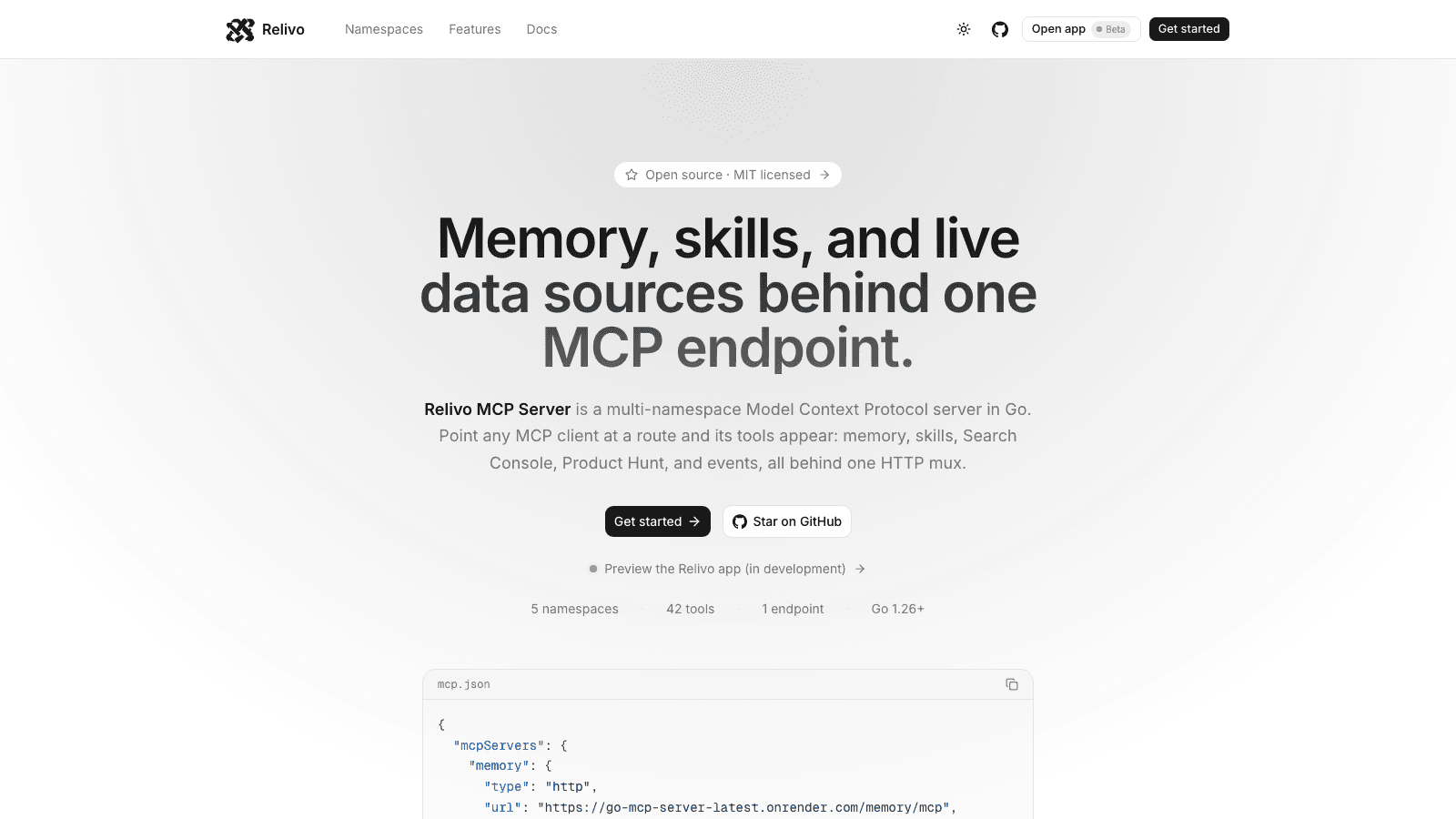
Relivo MCP Server
Multi-namespace Model Context Protocol server in Go — memory, skills, events, Search Console, and Product Hunt tools mounted on one HTTP mux over Streamable HTTP. Namespaces self-register at startup, and every route is admitted by its own auth: API keys for MCP clients, Clerk for the dashboard.

Veyra
Create videos from text prompts or images with a Next.js frontend and FastAPI service. Veyra dispatches generation jobs to on-demand Modal GPU workers, stores private results in S3, and offers a hosted MCP server for agent integrations.
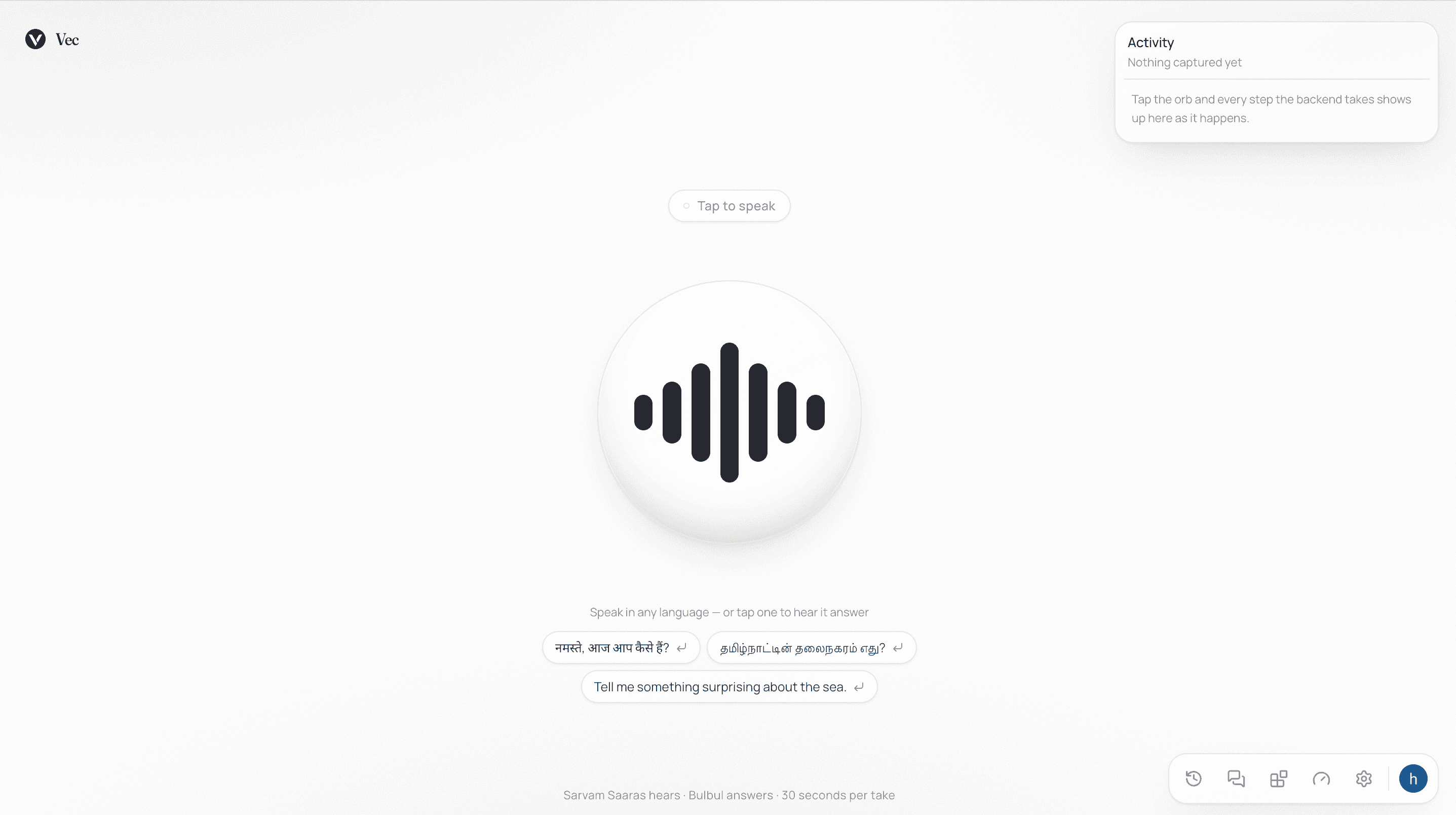
Vec
Multilingual voice assistant — speak in any of twenty-two languages and hear a reply about a second after you stop talking. Sarvam's Saaras and Bulbul models handle hearing and speaking, OpenAI writes the replies, and a connectors system lets each user wire in their own vector store, dataset, or tool with no shared corpus.