Shopify Hydrogen storefront for client
Shopify Hydrogen Storefront
A Shopify Hydrogen app for a client.
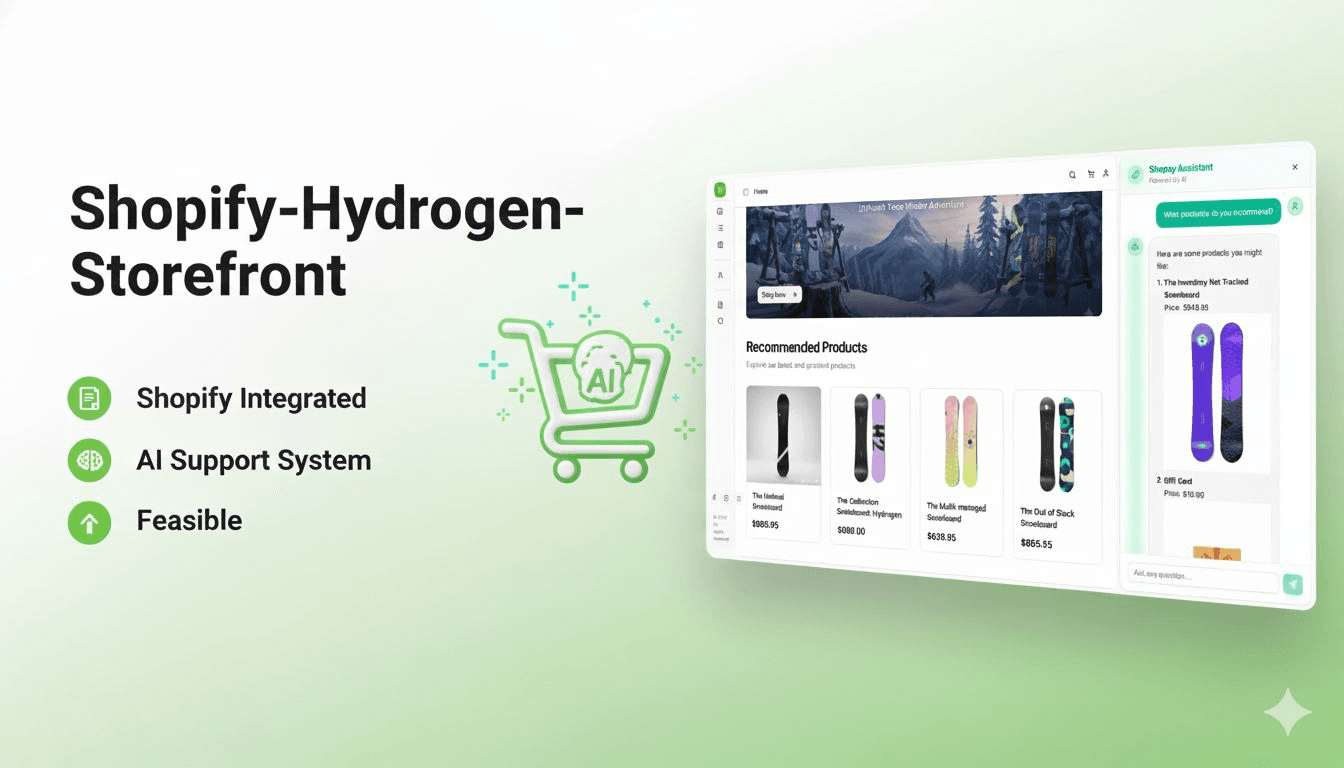
Documentation
🛍️ Modern Shopify Hydrogen Storefront
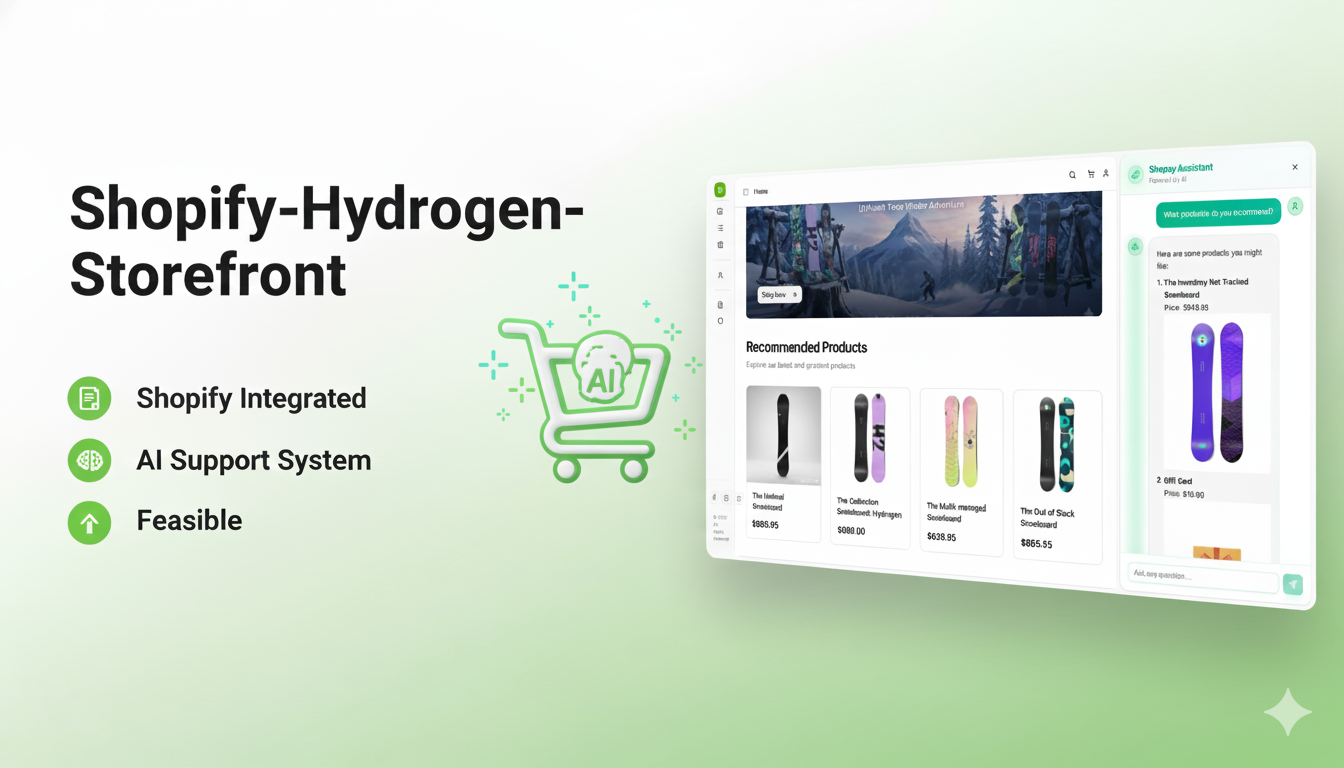
Become an advanced, confident, and modern Shopify developer from scratch
Build production-ready, headless commerce experiences with the latest tech stack




🌟 Overview
This is a modern, production-ready Shopify Hydrogen storefront built with cutting-edge technologies. Perfect for developers looking to master headless commerce, this project demonstrates professional-grade patterns and best practices used in real-world e-commerce applications.
🎯 What You'll Learn
- ✅ Shopify Hydrogen Framework - Build blazing-fast storefronts with server-side rendering
- ✅ Shopify Storefront API - Query products, collections, and customer data with GraphQL
- ✅ React Router v7 - Modern routing and data loading patterns
- ✅ TypeScript - Type-safe development with full IDE support
- ✅ AI-Powered Features - Integrated AI chat for enhanced customer experience
- ✅ Vector Search - Pinecone integration for semantic product search
- ✅ Modern UI Components - Shadcn/ui + Radix UI + Tailwind CSS
- ✅ Docker Deployment - Containerized development and production workflows
💼 Job-Ready Skills
Become job-ready by working with libraries and tools used in professional Shopify projects:
- Professional component architecture
- Advanced state management
- GraphQL code generation
- Performance optimization
- SEO best practices
- Accessibility standards (WCAG)
- Production deployment workflows
🚀 Features
🛒 Core E-Commerce
- Product Catalog - Browse products with advanced filtering and sorting
- Collections - Organized product collections with pagination
- Search - Powerful predictive search with instant results
- Shopping Cart - Full-featured cart with real-time updates
- Checkout - Seamless Shopify checkout integration
- Customer Accounts - Authentication and order management
🤖 AI & Advanced Features
- AI Chat Assistant - OpenAI-powered product recommendations and support
- Vector Search - Semantic search using Pinecone for better product discovery
- Eye Tracking - Advanced UX analytics
- Dynamic Breadcrumbs - Smart navigation with auto-generated breadcrumbs
- Responsive Design - Mobile-first, fully responsive UI
🎨 Modern UI/UX
- shadcn/ui Components - 50+ beautiful, accessible components
- Dark Mode - System-aware theme switching
- Animations - Smooth transitions and micro-interactions
- Loading States - Optimistic UI updates
- Error Boundaries - Graceful error handling
🛠️ Tech Stack
Frontend Framework
- React 18.3 - UI library with concurrent features
- React Router 7.9 - Modern routing solution
- TypeScript 5.9 - Type-safe JavaScript
Shopify & E-Commerce
- Shopify Hydrogen 2025.7 - Shopify's headless commerce framework
- Storefront API - GraphQL API for storefront data
- Customer Account API - Customer authentication and data
- GraphQL Codegen - Auto-generated TypeScript types
AI & Search
- OpenAI - GPT-powered chat assistant
- Anthropic Claude - Alternative AI model support
- Pinecone - Vector database for semantic search
- Vercel AI SDK - AI integration toolkit
UI Components & Styling
- Tailwind CSS 4.1 - Utility-first CSS framework
- shadcn/ui - Re-usable component library
- Radix UI - Unstyled, accessible components
- Lucide Icons - Beautiful icon set
- Embla Carousel - Lightweight carousel
Build Tools & Development
- Vite 6.2 - Next-generation build tool
- ESLint - Code linting
- Prettier - Code formatting
- Docker - Containerization
📋 Prerequisites
Before you begin, ensure you have the following installed:
- Node.js
18.0.0or higher (Download) - npm
9.0.0or higher (comes with Node.js) - Shopify Store - A Shopify store with Storefront API access
- Docker (optional) - For containerized development (Download)
🏁 Getting Started
1️⃣ Clone the Repository
git clone <your-repo-url>
cd shopify-hydrogen-storefront
2️⃣ Install Dependencies
npm install
3️⃣ Configure Environment Variables
Create a .env file in the root directory:
# Shopify Store Configuration
PUBLIC_STORE_DOMAIN=your-store.myshopify.com
PUBLIC_STOREFRONT_API_TOKEN=your_storefront_api_token
PRIVATE_STOREFRONT_API_TOKEN=your_private_token

# Checkout & Session
PUBLIC_CHECKOUT_DOMAIN=your-store.myshopify.com
SESSION_SECRET=your_session_secret

# Site Configuration
PUBLIC_SITE_URL=http://localhost:3000

# AI Configuration (Optional)
OPENAI_API_KEY=your_openai_api_key

# Vector Search (Optional)
PINECONE_API_KEY=your_pinecone_api_key
PINECONE_INDEX_HOST=your_index_host
🔑 How to Get API Keys:
Shopify API Tokens:
- Go to your Shopify Admin → Settings → Apps and sales channels
- Click "Develop apps" → "Create an app"
- Configure Storefront API permissions
- Generate Storefront API access token
OpenAI API Key:
- Visit OpenAI Platform
- Create an account and navigate to API keys
- Generate a new API key
Pinecone API Key:
- Visit Pinecone
- Sign up for a free account
- Create a new index and get your API key
4️⃣ Generate GraphQL Types
npm run codegen
This generates TypeScript types from your Shopify GraphQL schema.
💻 Local Development
Standard Development (Without Docker)
# Start the development server
npm run dev
Your app will be available at:
- 🌐 App: http://localhost:3000
- 🔍 GraphiQL: http://localhost:3000/graphiql
- 📊 Network Profiler: http://localhost:3000/subrequest-profiler
Docker Development
Prerequisites
- Docker installed on your machine
- Docker Compose (usually included with Docker Desktop)
Start with Docker Compose (Recommended)
# Build and start the container
docker-compose -f docker-compose.dev.yml up --build

# Or run in detached mode (background)
docker-compose -f docker-compose.dev.yml up -d --build
Stop Docker Container
# Stop the container
docker-compose -f docker-compose.dev.yml down

# Stop and remove volumes
docker-compose -f docker-compose.dev.yml down -v
Docker Commands Reference
# View logs
docker-compose -f docker-compose.dev.yml logs -f

# Restart container
docker-compose -f docker-compose.dev.yml restart

# Rebuild without cache
docker-compose -f docker-compose.dev.yml build --no-cache

# Execute commands in container
docker-compose -f docker-compose.dev.yml exec hydrogen-dev sh
Alternative: Plain Docker Commands
# Build the image
docker build -f Dockerfile.dev -t hydrogen-storefront-dev .

# Run the container
docker run -p 3000:3000 \
  -v $(pwd):/app \
  -v /app/node_modules \
  --name hydrogen-dev \
  hydrogen-storefront-dev

# Stop container
docker stop hydrogen-dev

# Remove container
docker rm hydrogen-dev
🏗️ Building for Production
# Create production build
npm run build

# Preview production build locally
npm run preview
The build output will be in the dist/ directory.
📁 Project Structure
shopify-hydrogen-storefront/
├── app/
│   ├── actions/              # Server-side data mutations
│   ├── components/           # React components
│   │   ├── ui/              # shadcn/ui components
│   │   ├── ai/              # AI chat components
│   │   ├── home/            # Home page components
│   │   ├── pageLayout/      # Layout components
│   │   └── search/          # Search components
│   ├── graphql/             # GraphQL queries & mutations
│   ├── hooks/               # Custom React hooks
│   ├── lib/                 # Utilities and helpers
│   ├── routes/              # Route handlers (React Router)
│   ├── styles/              # Global styles
│   ├── entry.client.tsx     # Client entry point
│   ├── entry.server.tsx     # Server entry point
│   └── root.tsx             # Root component
├── public/                   # Static assets
├── server/                   # Server configuration
├── guides/                   # Documentation guides
├── docker-compose.dev.yml   # Docker Compose config
├── Dockerfile.dev           # Docker development config
├── vite.config.ts           # Vite configuration
├── react-router.config.ts   # React Router config
└── package.json             # Dependencies & scripts
🔌 API Integration
Storefront API (GraphQL)
Query Shopify data using the Storefront API:
// Example: Fetch products
import {useLoaderData} from 'react-router';

export async function loader({context}) {
  const {storefront} = context;

  const {products} = await storefront.query(PRODUCTS_QUERY, {
    variables: {
      first: 10,
    },
  });

  return {products};
}

export default function Products() {
  const {products} = useLoaderData<typeof loader>();
  // Render products...
}
AI Chat API
Interact with the AI assistant:
// POST /api/chat
const response = await fetch('/api/chat', {
  method: 'POST',
  headers: {'Content-Type': 'application/json'},
  body: JSON.stringify({
    messages: [{role: 'user', content: 'Show me running shoes'}],
  }),
});
Vector Search
Semantic product search with Pinecone:
// Integrated in search components
// Uses embeddings for better product discovery
🎨 Customization
Adding New Components
# Add shadcn/ui component
npx shadcn-ui@latest add button

# Component will be added to app/components/ui/
Styling
This project uses Tailwind CSS 4.1. Global styles are in app/styles/globals.css.
// Example component with Tailwind
export function ProductCard({product}) {
  return (
    <div className="rounded-lg border bg-card p-4 shadow-sm">
      <h3 className="text-lg font-semibold">{product.title}</h3>
      <p className="text-muted-foreground">{product.description}</p>
    </div>
  );
}
Theme Configuration
Edit app/styles/globals.css to customize your color palette:
@layer base {
  :root {
    --background: 0 0% 100%;
    --foreground: 222.2 84% 4.9%;
    --primary: 222.2 47.4% 11.2%;
    /* ... */
  }
}
🧪 Code Quality
Type Checking
npm run typecheck
Linting
npm run lint
Code Generation
npm run codegen
Generates TypeScript types from:
- Shopify Storefront API schema
- Shopify Customer Account API schema
- React Router routes
🚀 Deployment
Deploy to Shopify Oxygen
# Build and deploy
npm run build
npx shopify hydrogen deploy
Deploy to Other Platforms
This app can be deployed to any Node.js hosting platform:
- Vercel - Connect your Git repo
- Netlify - Use the build command:
npm run build - Railway - Deploy with Dockerfile
- Fly.io - Use the provided Dockerfile
- AWS / GCP / Azure - Deploy as containerized app
📚 Learning Resources
Official Documentation
- Shopify Hydrogen Docs
- React Router Docs
- Storefront API Reference
- shadcn/ui Components
- Tailwind CSS Docs
Guides
Check the guides/ directory for detailed tutorials:
guides/search/- Implementing predictive searchguides/predictiveSearch/- Advanced search patterns
🤝 Contributing
Contributions are welcome! Please follow these steps:
- Fork the repository
- Create a feature branch (
git checkout -b feature/amazing-feature) - Commit your changes (
git commit -m 'Add amazing feature') - Push to the branch (
git push origin feature/amazing-feature) - Open a Pull Request
Development Guidelines
- Follow TypeScript best practices
- Use ESLint and Prettier configurations
- Write meaningful commit messages
- Add JSDoc comments for complex functions
- Test your changes thoroughly
🐛 Troubleshooting
Common Issues
Port 3000 already in use:
# Kill the process using port 3000
lsof -ti:3000 | xargs kill -9
GraphQL types not generating:
# Ensure your .env file has correct API tokens
npm run codegen -- --force
Docker container exits immediately:
# Check logs
docker-compose -f docker-compose.dev.yml logs

# Rebuild without cache
docker-compose -f docker-compose.dev.yml build --no-cache
Module not found errors:
# Clear node_modules and reinstall
rm -rf node_modules package-lock.json
npm install
📄 License
This project is licensed under the MIT License - see the LICENSE file for details.
💡 Make Money with Shopify Apps
This project demonstrates the skills needed to build and sell Shopify Hydrogen apps. With this foundation, you can:
- 🎯 Build custom storefronts for clients
- 🏪 Create and sell Shopify apps on the App Store
- 💼 Offer Shopify development services
- 🚀 Launch your own e-commerce brand
- 📚 Create educational content and courses
Ready to become a professional Shopify developer? Start building today! 🚀
<div align="center">
Built with ❤️ using Shopify Hydrogen
</div>Keep exploring
Related work

Rumiva
Interior design studio experience built for a 3D web hackathon — a React Three Fiber room you explore straight from the hero, plus designer portfolios, project galleries, and service pages tied together with GSAP motion and smooth scrolling.
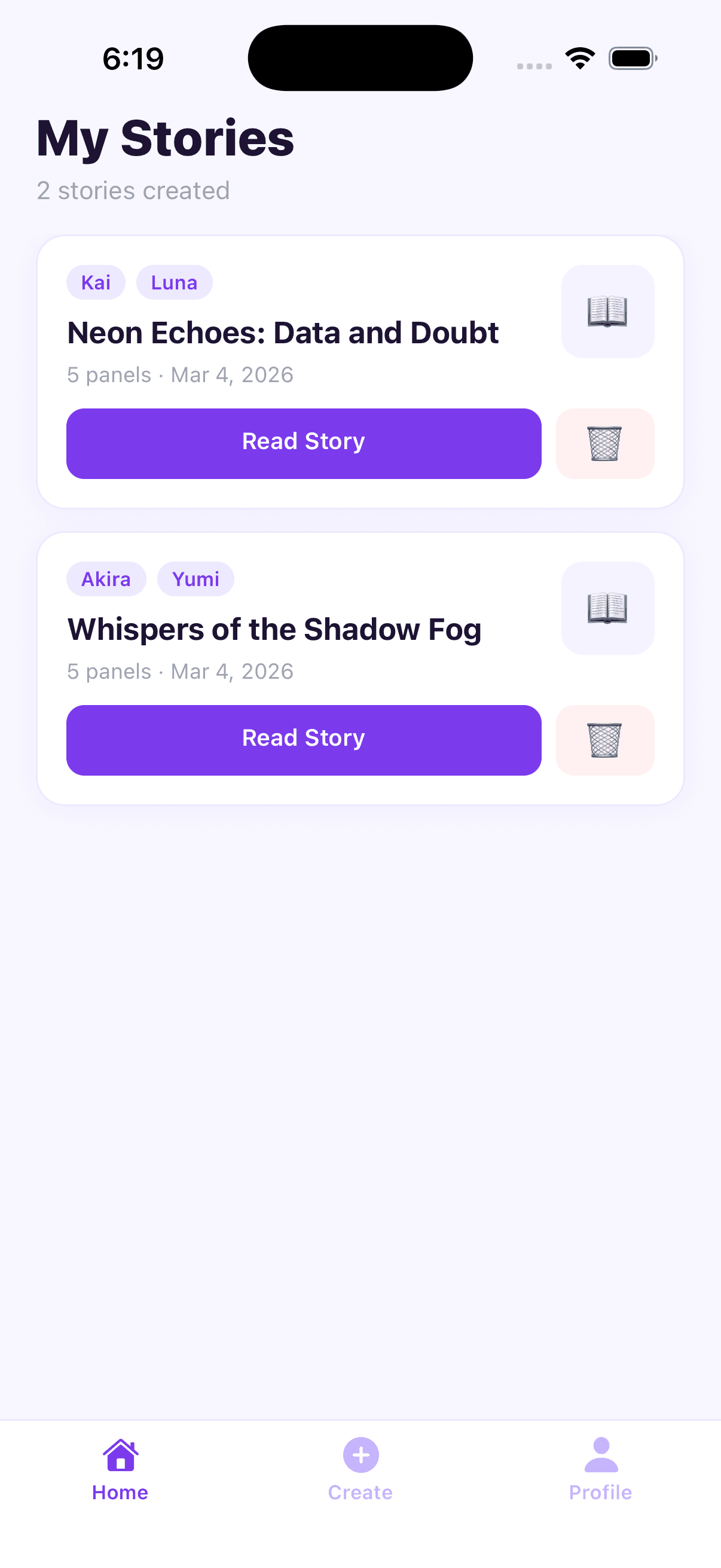
AI Story Planner (Mobile App)
AI-powered story planning workspace to structure ideas, generate outlines, and accelerate writing workflows.
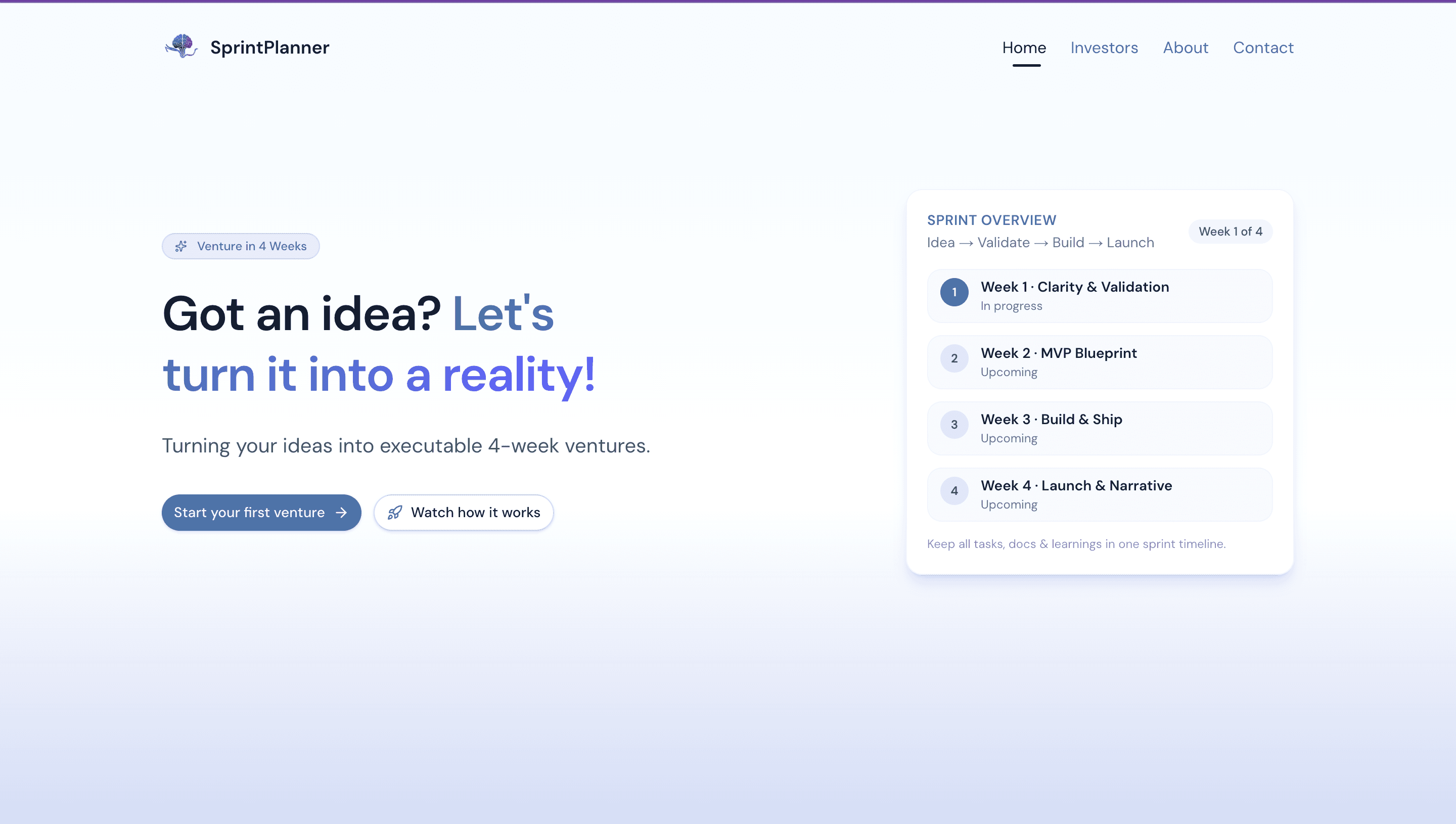
SprintPlanner
Turning your ideas into executable 4-week ventures.